In this guide
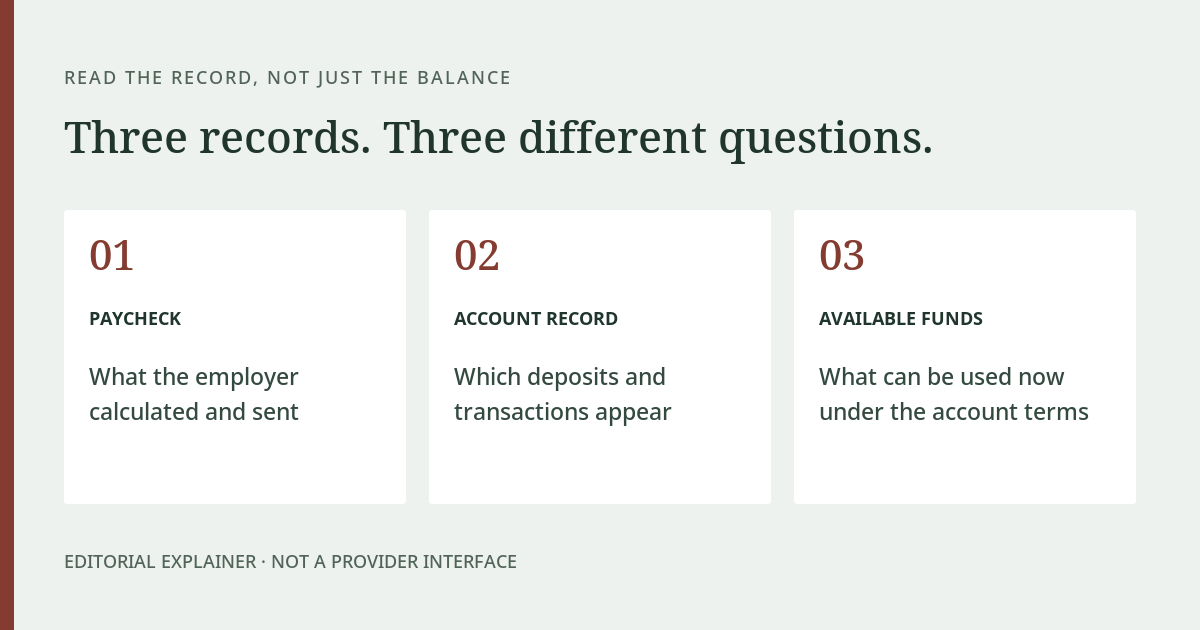
When a paycheck seems to be missing from a Fintwist account, begin with the payment record, not just the current balance. Establish what the employer says it sent, the destination it used and whether a matching credit appears in the account history. A pay statement, a deposit entry and an available balance answer different questions.
Nacha describes direct deposit as an electronic method for delivering pay and other payments. Its general explanation does not establish the release time of your employer’s payroll file or what happened to a particular payment. Nacha: direct deposit This article provides a record-by-record investigation method, not a universal payday schedule or an assurance that the payment will arrive at a certain hour.
Start with what “missing” means
There are several distinct observations a reader might describe that way. The pay statement may not yet exist. It may show a payment that is absent from transaction history. The credit may appear but be smaller than expected. Or the credit may be correct while the current balance is lower because of other entries.
Write down the observation before assigning a cause. “There is no matching credit for the expected pay date” is clearer than “my money disappeared.” It identifies the record that needs to be checked and avoids confusing a payroll calculation with subsequent account activity.
Do not use another employee’s deposit time as proof that your own payment has failed. Their pay arrangement, destination and record may differ. A colleague’s experience can prompt a useful question, but it cannot establish the status of your instruction.
A three-record comparison
| Record | What it can help establish | What it does not establish alone |
|---|---|---|
| Employer pay statement | The wages, deductions and net amount documented by payroll | That a payment reached the intended account |
| Payroll payment confirmation | The payment destination and processing information payroll can confirm | Your current spendable account balance |
| Card transaction history | Whether a matching credit and subsequent entries are visible | Whether the employer calculated the wages correctly |
Keep the dates attached to each record. The pay period, the stated pay date and the time an account entry appears are not interchangeable labels. A useful question includes the relevant date rather than assuming everyone means the same thing by “Friday’s pay.”
The table is an editorial diagnostic framework. It is not a statement that every employer exposes the same records or uses the same payroll interface. Ask for the information payroll can legitimately provide through its authorized employee process.
When to start with payroll
Start with payroll when you need to establish whether the payment was issued, which destination was used, or whether a recent election took effect. A question about hours, deductions or the net-pay calculation also begins with the employer’s records rather than with the card app.
Ask payroll to confirm the expected payment date, the account destination in a appropriately masked form, and whether it has information about a rejection or return. Do not send a full account number through an unverified channel just because someone offers to “check the payroll.” Use your employer’s established process.
A recent change deserves particular attention. If you elected a new payment destination, ask which pay cycle the employer applied it to. Do not assume that changing a setting immediately affects a payroll instruction already being processed. This article does not know your employer’s cutoff or change procedure and will not invent one.
When to start with card support
If payroll confirms a sent payment and supplies relevant processing information, card support is the place to ask about the account-side record. State that a particular credit cannot be located, rather than asking support to recalculate the underlying wages.
Use the support route supplied with your program. The current Corpay Prepaid contact page identifies cardholder support, but employer-specific materials may identify a program-specific route. Provider: contact information Confirm the appropriate route through your card instructions instead of copying an unrelated company number from a search result.
When a matching credit exists, identify which remaining issue you need explained: its amount, status or the later entries that changed the balance. A current balance alone is a poor substitute for that sequence. The account-access guide explains what to record if you cannot open the account to inspect the history.
Two examples of different problems
Imagine a pay statement showing $700 and a matching $700 credit. The account later shows $560 after other recorded activity. The next question is about that activity, not whether the employer sent only $560. These are invented figures used solely to demonstrate record matching.
Now imagine the same pay statement but no matching credit at all. The next useful evidence is the payroll payment confirmation and destination, not a calculation based on the current balance. These two situations may feel similar to the reader, but they lead to different support questions.
A third possibility is that a credit appears for an amount other than the statement’s net pay. Do not guess why. Establish whether you are comparing the same pay period and payment instruction, and ask the relevant organization to reconcile the records. A general online article cannot settle that discrepancy.
Avoid unsupported promises about deposit times
An introductory product page may discuss convenience or faster access compared with checks. That does not establish a guarantee about your employer’s submission time, a particular holiday, or an exact hour in your time zone. An old screenshot of someone else’s deposit is weaker evidence still.
Instead, ask for the applicable expected payment date and the point at which the employer or provider considers a follow-up appropriate. Keep any written answer. This gives you a reference for the actual arrangement rather than a timetable borrowed from another program.
Also distinguish an incoming paycheck from an outgoing bank transfer. If the wages arrived in the card account and you subsequently requested a transfer, the unresolved step may be the outgoing instruction. Use the bank-transfer guide rather than reporting the original payroll deposit as missing.
Keep the investigation readable
A short private chronology is often more useful than a folder of unexplained screenshots. Record what you observed, the date and time, the organization you contacted, the reference supplied and the next action agreed. Preserve the original evidence securely, but do not include passwords, verification codes or unmasked card images in ordinary correspondence.
When following up, refer to the existing case and explain what has changed. For example, payroll may have supplied a payment reference since the first call. That is new information. Repeating the same broad complaint without the reference is less likely to clarify where the payment is being investigated.
If you believe an account entry is an error, use the provider’s formal reporting process promptly. Corpay Prepaid publishes an electronic-transfer error-resolution notice; do not treat a message to this publication as notice to that provider. Provider: error resolution
The point of the comparison
The goal is not to decide in advance which organization is at fault. It is to establish the first place where the records stop matching. That may be the employer’s calculation, its payment instruction, the receiving account, or later account activity.
Once that point is clear, the next question becomes specific enough to investigate. Return to the main guide for the overall arrangement, or use transaction status and errors when the unresolved issue is already visible in the account history.